 |
Feel
4.1.2
The best way to improve your game's feel and make it extra juicy
|
|
Feel
4.1.2
The best way to improve your game's feel and make it extra juicy
|
This component will automatically update scale and rotation Put it one level below the top, and have the model one level below that Hierarchy should be as follows : More...
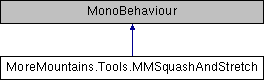
Public Types | |
| enum | Timescales { Timescales.Regular, Timescales.Unscaled } |
| enum | Modes { Modes.Rigidbody, Modes.Rigidbody2D, Modes.Position } |
Public Member Functions | |
| virtual void | Squash (float duration, float intensity) |
| Triggered either directly or via the AutoSquash setting, this squashes the object (usually after a contact / stop) More... | |
Public Attributes | |
| Modes | Mode = Modes.Position |
| the possible ways to get velocity from More... | |
| Timescales | Timescale = Timescales.Regular |
| whether we should use deltaTime or unscaledDeltaTime More... | |
| float | Intensity = 0.02f |
| the intensity of the squash and stretch More... | |
| float | MaximumVelocity = 1f |
| the maximum velocity of your parent object, used to remap the computed one More... | |
| Vector3 | MinimumScale = new Vector3(0.5f, 0.5f, 0.5f) |
| the minimum scale to apply to this object More... | |
| Vector3 | MaximumScale = new Vector3(2f, 2f, 2f) |
| the maximum scale to apply to this object More... | |
| bool | RescaleX = true |
| whether or not to rescale on the x axis More... | |
| bool | RescaleY = true |
| whether or not to rescale on the y axis More... | |
| bool | RescaleZ = true |
| whether or not to rescale on the z axis More... | |
| bool | RotateToMatchDirection = true |
| whether or not to rotate the transform to align with the current direction More... | |
| bool | AutoSquashOnStop = false |
| if this is true, the object will squash once velocity goes below the specified threshold More... | |
| AnimationCurve | SquashCurve = new AnimationCurve(new Keyframe(0, 0), new Keyframe(0.5f, 1f), new Keyframe(1, 0f)) |
| the curve to apply when squashing the object (this describes scale on x and z, will be inverted for y to maintain mass) More... | |
| float | SquashVelocityThreshold = 0.1f |
| the velocity threshold after which a squash can be triggered if the object stops More... | |
| Vector2 | SquashDuration = new Vector2(0.25f, 0.5f) |
| the maximum duration of the squash (will be reduced if velocity is low) More... | |
| Vector2 | SquashIntensity = new Vector2(0f, 1f) |
| the maximum intensity of the squash More... | |
| bool | Spring = false |
| whether or not to add extra spring to the squash and stretch More... | |
| float | SpringDamping = 0.3f |
| the damping to apply to the spring More... | |
| float | SpringFrequency = 3f |
| the spring's frequency More... | |
| Vector3 | Velocity |
| the current velocity of the parent object More... | |
| float | RemappedVelocity |
| the remapped velocity More... | |
| float | VelocityMagnitude |
| the current velocity magnitude More... | |
Protected Member Functions | |
| virtual void | Start () |
| On start, we initialize our component More... | |
| virtual void | Initialization () |
| Stores the initial scale, grabs the rigidbodies (or tries to), as well as the parent and child More... | |
| virtual void | LateUpdate () |
| On late update, we apply our squash and stretch effect More... | |
| virtual void | SquashAndStretch () |
| Computes velocity and applies the effect More... | |
| virtual void | ComputeVelocityAndDirection () |
| Determines the current velocity and direction of the parent object More... | |
| virtual void | ComputeNewRotation () |
| Computes a new rotation for both this object and the child More... | |
| virtual void | ComputeNewLocalScale () |
| Computes a new local scale for this object More... | |
| virtual void | StorePreviousPosition () |
| Stores the previous position of the parent to compute velocity More... | |
Protected Attributes | |
| Rigidbody2D | _rigidbody2D |
| Rigidbody | _rigidbody |
| Transform | _childTransform |
| Transform | _parentTransform |
| Vector3 | _direction |
| Vector3 | _previousPosition |
| Vector3 | _newLocalScale |
| Vector3 | _initialScale |
| Quaternion | _newRotation = Quaternion.identity |
| Quaternion | _deltaRotation |
| float | _squashStartedAt = 0f |
| bool | _squashing = false |
| float | _squashIntensity |
| float | _squashDuration |
| bool | _movementStarted = false |
| float | _lastVelocity = 0f |
| Vector3 | _springScale |
| Vector3 | _springVelocity = Vector3.zero |
Properties | |
| virtual float? | TimescaleTime [get] |
| virtual float? | TimescaleDeltaTime [get] |
This component will automatically update scale and rotation Put it one level below the top, and have the model one level below that Hierarchy should be as follows :
Parent (where the logic (and optionnally rigidbody lies)
Make sure this intermediary layer only has one child If movement feels glitchy make sure your rigidbody is on Interpolate
|
strong |
|
protectedvirtual |
Computes a new local scale for this object
|
protectedvirtual |
Computes a new rotation for both this object and the child
|
protectedvirtual |
Determines the current velocity and direction of the parent object
|
protectedvirtual |
Stores the initial scale, grabs the rigidbodies (or tries to), as well as the parent and child
|
protectedvirtual |
On late update, we apply our squash and stretch effect
|
virtual |
Triggered either directly or via the AutoSquash setting, this squashes the object (usually after a contact / stop)
| duration | |
| intensity |
|
protectedvirtual |
Computes velocity and applies the effect
|
protectedvirtual |
On start, we initialize our component
|
protectedvirtual |
Stores the previous position of the parent to compute velocity
|
protected |
|
protected |
|
protected |
|
protected |
|
protected |
|
protected |
|
protected |
|
protected |
|
protected |
|
protected |
|
protected |
|
protected |
|
protected |
|
protected |
|
protected |
|
protected |
|
protected |
|
protected |
| bool MoreMountains.Tools.MMSquashAndStretch.AutoSquashOnStop = false |
if this is true, the object will squash once velocity goes below the specified threshold
| float MoreMountains.Tools.MMSquashAndStretch.Intensity = 0.02f |
the intensity of the squash and stretch
| Vector3 MoreMountains.Tools.MMSquashAndStretch.MaximumScale = new Vector3(2f, 2f, 2f) |
the maximum scale to apply to this object
| float MoreMountains.Tools.MMSquashAndStretch.MaximumVelocity = 1f |
the maximum velocity of your parent object, used to remap the computed one
| Vector3 MoreMountains.Tools.MMSquashAndStretch.MinimumScale = new Vector3(0.5f, 0.5f, 0.5f) |
the minimum scale to apply to this object
| Modes MoreMountains.Tools.MMSquashAndStretch.Mode = Modes.Position |
the possible ways to get velocity from
| float MoreMountains.Tools.MMSquashAndStretch.RemappedVelocity |
the remapped velocity
| bool MoreMountains.Tools.MMSquashAndStretch.RescaleX = true |
whether or not to rescale on the x axis
| bool MoreMountains.Tools.MMSquashAndStretch.RescaleY = true |
whether or not to rescale on the y axis
| bool MoreMountains.Tools.MMSquashAndStretch.RescaleZ = true |
whether or not to rescale on the z axis
| bool MoreMountains.Tools.MMSquashAndStretch.RotateToMatchDirection = true |
whether or not to rotate the transform to align with the current direction
| bool MoreMountains.Tools.MMSquashAndStretch.Spring = false |
whether or not to add extra spring to the squash and stretch
| float MoreMountains.Tools.MMSquashAndStretch.SpringDamping = 0.3f |
the damping to apply to the spring
| float MoreMountains.Tools.MMSquashAndStretch.SpringFrequency = 3f |
the spring's frequency
| AnimationCurve MoreMountains.Tools.MMSquashAndStretch.SquashCurve = new AnimationCurve(new Keyframe(0, 0), new Keyframe(0.5f, 1f), new Keyframe(1, 0f)) |
the curve to apply when squashing the object (this describes scale on x and z, will be inverted for y to maintain mass)
| Vector2 MoreMountains.Tools.MMSquashAndStretch.SquashDuration = new Vector2(0.25f, 0.5f) |
the maximum duration of the squash (will be reduced if velocity is low)
| Vector2 MoreMountains.Tools.MMSquashAndStretch.SquashIntensity = new Vector2(0f, 1f) |
the maximum intensity of the squash
| float MoreMountains.Tools.MMSquashAndStretch.SquashVelocityThreshold = 0.1f |
the velocity threshold after which a squash can be triggered if the object stops
| Timescales MoreMountains.Tools.MMSquashAndStretch.Timescale = Timescales.Regular |
whether we should use deltaTime or unscaledDeltaTime
| Vector3 MoreMountains.Tools.MMSquashAndStretch.Velocity |
the current velocity of the parent object
| float MoreMountains.Tools.MMSquashAndStretch.VelocityMagnitude |
the current velocity magnitude
|
get |
|
get |
 1.8.18